


 Google
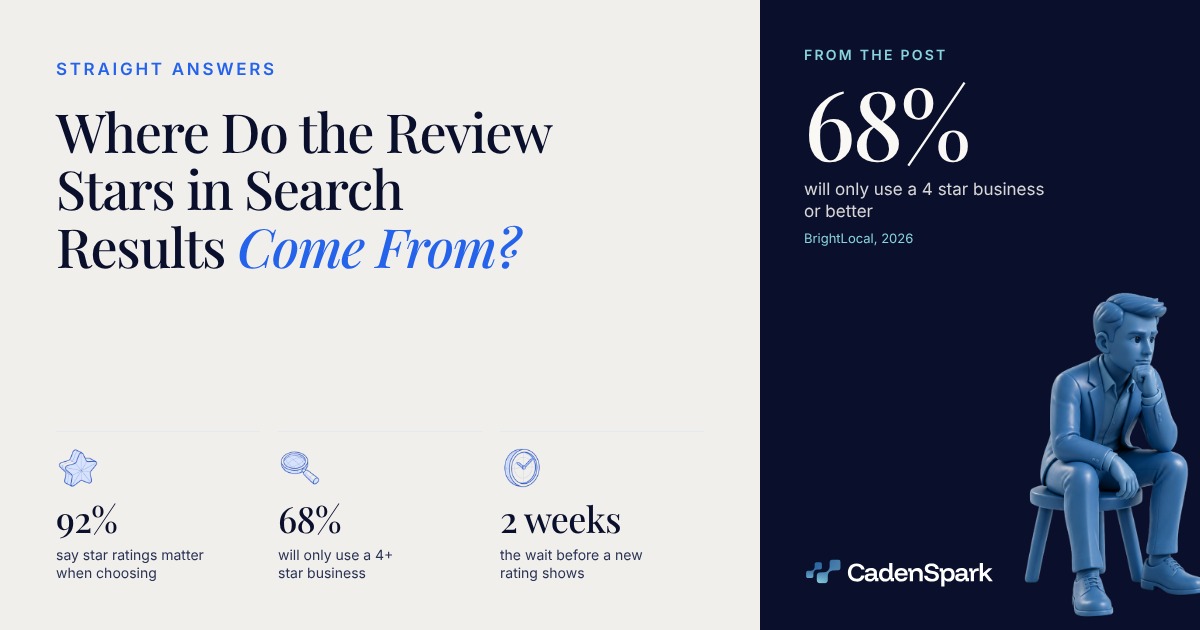
They come from your Google profile, not from your website. Reviews you publish about yourself are self serving, and Google does not show them as stars for a business or an organization (Google Search Central). Meanwhile 68% of consumers say they will only use a business with four or more stars (BrightLocal, 2026).
Where do the review stars in search results come from?
From the ratings people leave on your Google Business Profile. Google averages every published rating on a 1 to 5 scale, shows that average in Search and Maps, and a new review can take up to two weeks to move it (Google Business Profile Help).
View data
| Piece | What happens |
|---|---|
| Door | Your own markup |
| Door | A review widget |
| Door | Reviews on your profile |
| Hub | What Google can show — a review about you, on your own site, is not eligible |
| Stage | The stars on your listing — the average of every published rating, 1 to 5 |
| Stage | Review stars on a rich result — only for the content types Google still supports |
| Return | The next customer sees the average — and your markup never entered the picture |
The rating in Search and Maps is the average of all published ratings for the business, on a 1 to 5 scale, and it can lag a new review by up to two weeks (Google Business Profile Help).
A review about your business, published on your own site by your markup or by a third party widget, is self serving. Google does not show it as a review snippet for a business or an organization (Google Search Central).
Why don’t my review stars show up?
Usually because the reviews are about you, on your site. There is nothing to remove and no manual action behind it: those snippets simply are not shown anymore for a business or an organization (Google Search Central).
A review about business A, published on A’s own site, is not eligible for a review snippet. Google announced that in 2019 and repeated it in the local business documentation (Google Search Central).
Review stars appear for a short list of content types. The service page of a local business is not one of them (Google Search Central).
Markup has to describe what a visitor can see on the page, and hidden content is one of the listed reasons a rich result does not appear. If the page shows several reviews, the markup has to include all of them (Google Search Central).
Markup enables a feature to be present, it does not guarantee that it will be present, even when the Rich Results Test comes back clean (Google Search Central).
- 01Who the review is aboutIf the page carries reviews of your own business, the snippet is not eligible. If it reviews someone else, it can be.
- 02Which type the page declaresReview stars show for a supported list. Your own reviews on a business or an organization page are off that list.
- 03Whether a visitor can see itEvery review in the markup has to be on the page in plain sight. Hidden ratings are a listed reason nothing appears.
Which types can still show review stars?
Seven content types, and your service page is not among them. Google lists Book, Course list, Event, Movie, Product, Recipe and Software App, plus sites that capture reviews about other local businesses (Google Search Central).
Your own service page
review starsno review snippet
A review about you, on your site, is self serving and not eligible.
A product you sell online
no markupreview stars possible
Product is a supported type, with the reviews visible on the page.
A site that reviews other businesses
nothing shownreview and aggregateRating
Google recommends them for sites that capture reviews about other local businesses.
The Rich Results Test
green means livegreen means eligible
Markup enables the feature. It does not promise it.
View data
| Metric | Day zero → target |
|---|---|
| Your own service page | review stars → no review snippet |
| A product you sell online | no markup → review stars possible |
| A site that reviews other businesses | nothing shown → review and aggregateRating |
| The Rich Results Test | green means live → green means eligible |
the item you sell, with its reviews visible on the page
a class, a show, a date people book
Book, Course list, Movie, Recipe, Software App
a site that reviews local businesses other than itself
So what actually moves the stars people see?
The ratings on your profile, and the bar people apply to them. 92% of consumers say star ratings matter when they choose a business, and 68% will only use one with four or more stars, up from 55% a year earlier (BrightLocal, 2026).



View data
| Step | Value |
|---|---|
| A customer rates you | 1 (on your Google Business Profile) |
| Google averages the ratings | 2 (every published rating, on a 1 to 5 scale) |
| Up to 2 weeks | 3 (how long the score can take to move) |
| The average shows in Search and Maps | 4 (Google Business Profile Help) |
What should you do with the review markup you already have?
Leave it where it is doing a job, and stop waiting for it to produce stars for your own business. The stars people filter on live on the profile.
- 01Leave the markup that earns somethingOn a supported type, with the reviews visible on the page, it still qualifies for the snippet. Taking it out gains you nothing.
- 02Stop counting on your own reviewsTestimonials on your site are worth having for the person reading them. They will not become stars in Search.
- 03Work the profile insteadAsk the customers you just served, and reply to what comes in. The average is the number people filter on.
Structured data is not a generic ranking factor. Removing self serving review markup changes what you are eligible to show, not where you rank (Google Search Central).
They belong on the page for the human reading them. They are not a route to stars in Search (Google Search Central).
For service businesses Google also publishes aspect ratings, such as price or quality. Those are a different metric from the 1 to 5 average (Google Business Profile Help).
The stars are a scoreboard you do not control from your own code. The markup still has its jobs, and a local business has a short list of them. The ratings are earned on the profile.
- 01Read the listing
- 02Fix the expectation
- 03Earn the ratings
- 04Watch the average
Questions owners ask
Why don’t my review stars show up in Google?
Most often because the reviews are about your own business, on your own site. Google calls those self serving and does not show them for a business or an organization. And valid markup never guaranteed a rich result (Google Search Central).
Can I put my own customer reviews on my site and get stars?
You can publish them, and they earn their place for the person reading. They will not appear as review stars in Search for a business or an organization: a review about you on your own site is self serving (Google Search Central).
Does review markup still do anything?
Yes, on the types Google still shows it for, such as Product, Event and Recipe, and on sites that capture reviews about other local businesses. In every case the reviews have to be visible on the page (Google Search Central).
Where do the stars on a Google business listing come from?
From the ratings customers leave on the profile. Google averages every published rating on a 1 to 5 scale and shows that average in Search and Maps. A new review can take up to two weeks to move it (Google Business Profile Help).
Sources
- Google Search Central, Review snippet structured data (the supported content types; Organization listed only for sites that capture reviews about other organizations) (2026)
- Google Search Central, General structured data guidelines (content visible to users, and markup enabling a feature without guaranteeing it) (2026)
- Google Search Central, Making Review Rich Results more helpful (the self serving review policy, September 2019) (2019)
- Google Search Central, Local business structured data (review and aggregateRating recommended only for sites that capture reviews about other local businesses, clarified August 2023) (2023)
- Google Business Profile Help, Understand review scores for local places and businesses (the 1 to 5 average of published ratings, up to two weeks to update) (2026)
- BrightLocal, Local Consumer Review Survey 2026 (1,002 U.S. adults, SurveyMonkey panel; report published February 11, 2026) (2026)
The first meeting starts with findings, not promises.The free Business Health Report reads your business and shows you what it found, in days.
Get Your Free Business Health Report