



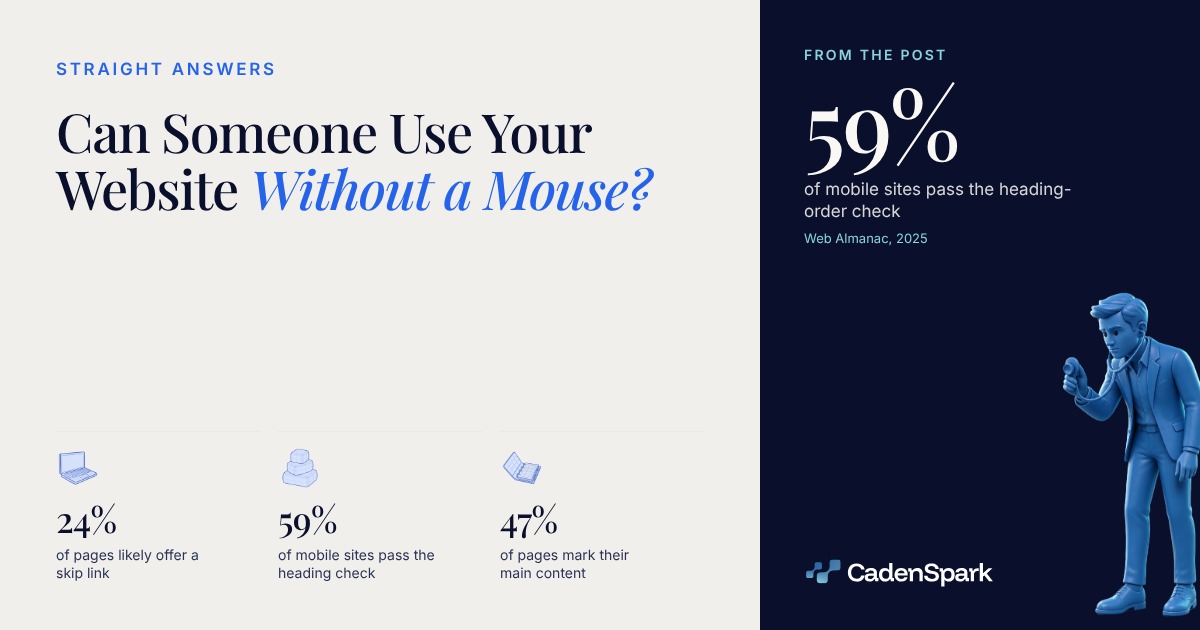
Maybe not, and the Tab key answers it in about a minute. Across 16.2 million sites crawled in July 2025, only about 24% of pages likely have a skip link and 59% of mobile sites pass the heading-order check (Web Almanac, 2025).
Can someone use your website without a mouse?
Put the mouse away and press Tab. If you cannot reach the quote form and submit it from the keyboard, a visitor who navigates that way cannot either.



- 01Put the mouse awayHands off the trackpad. Everything from here is Tab, Shift and Tab, Enter and Space.
- 02Load the home page and press Tab onceSomething should light up, and it should tell you what it is. Note what happens instead.
- 03Keep tabbing until you reach the quote formCount the presses. If the menu alone eats fifteen of them, that is what every page costs a keyboard visitor.
- 04Press Enter on the buttonNot click. Enter. If nothing submits, the control is not a button, whatever it looks like.
What is a skip link, and does your site have one?
It is the link that should be the first thing Tab lands on, jumping past the repeated menu. About a quarter of pages likely have one.
Web Almanac, 2025 · 16.2 million sites, July 2025 crawl · detected as an early in-page anchor, so read as likely, not confirmed · no 2023 edition
View data
| Item | Value |
|---|---|
| 2021, both platforms | 19.7% |
| 2025, desktop | 25.65% |
| 2025, mobile | 26.23% |
View data
| Step | Value |
|---|---|
| Skip to main content | One link (the first focusable element on the page, visible once it takes focus.) |
| Where it lands | Landmark (the main region, marked on 47% of desktop pages (Web Almanac, 2025).) |
| What the standard asks | Level A (a mechanism to bypass blocks of content repeated across pages (W3C, WCAG).) |
| Menu to work | One press (everything under the nav is now a single Tab away, on every page.) |
Can a keyboard user see where they are on the page?
Only if the focus ring survived the design. The basic focus state is styled on about 90% of pages, while the context-aware focus-visible appears on just 25% of desktop pages (Web Almanac, 2025).
Web Almanac, 2025 · 16.2 million sites, July 2025 crawl · counted in style sheets under roughly 100 KiB
View data
| Item | Value |
|---|---|
| Styles the focus state | 90% |
| Uses focus-visible, desktop | 25% |
| Uses focus-visible, mobile | 24% |
A visible keyboard focus indicator is a level AA requirement, and without one the visitor is typing blind (W3C, WCAG).
Focus moves to a field the page has just scrolled under its own navigation bar. The browser is right and the visitor still cannot see it.
Tab keeps walking the page under the overlay. Focusable components have to receive focus in an order that preserves meaning and operability, at level A (W3C, WCAG).
The chapter’s note is that automated tools are limited on keyboard traps, focus order and whether focus moves logically to new content, and that manual testing is irreplaceable (Web Almanac, 2025).
Contrast and zoom are the other half of the same screen, and they are measured the same way.
Do your headings and landmarks let someone jump to the booking form?
Partly, on most sites. Navigation is marked on 71% of desktop pages and the main region on only 47%, which is the region a skip link has to aim at (Web Almanac, 2025).
Web Almanac, 2025 · 12.2 million desktop sites, July 2025 crawl · element or role, not both at once
View data
| Item | Value |
|---|---|
| nav | 70.94% |
| footer | 67.66% |
| header | 67.41% |
| main | 47.34% |
Is a div that looks like a button actually a button?
Not to a keyboard. A role pasted onto a div makes assistive technology announce a button, and changes nothing about Tab or Enter.
A div is not focusable, so the keyboard walks straight past the thing you most want pressed.
A real button fires on both. A div fires on a click handler, and a keyboard does not click.
All functionality has to be operable through a keyboard interface, at level A. The requirement adds the keyboard, it does not take the mouse away (W3C, WCAG).
The chapter reads the button role’s popularity as roles applied to non-semantic elements such as div or span, or applied redundantly to real buttons (Web Almanac, 2025).
53% of desktop pages carry at least one element with a button role, counted as pages with at least one, not as a share of buttons (Web Almanac, 2025).
Unplug the mouse, press Tab four times and write down where you land. Whatever stops you belongs on the list with everything else a site gets checked for.
- 01Put the mouse away
- 02Fix the first Tab stop
- 03Give the focus ring back
- 04Tab through it again
Questions owners ask
Can someone use my website without a mouse?
Test it. Load your home page, press Tab, and try to reach the quote form. Across 16.2 million sites crawled in July 2025, about 24% of pages likely have a skip link and 59% of mobile sites pass the heading-order check (Web Almanac, 2025).
What is a skip link?
A link, usually the first focusable element on the page, that jumps past the repeated menu straight to the main content. WCAG asks for a mechanism to bypass blocks repeated across pages, at level A (W3C, WCAG).
Why can I not see where I am when I press Tab?
Because the focus indicator was styled away. About 90% of pages style the basic focus state and only 25% of desktop pages use the context-aware focus-visible (Web Almanac, 2025). A visible keyboard focus indicator is a level AA requirement (W3C, WCAG).
Does a passing accessibility score mean the site is keyboard accessible?
No. The chapter’s own note is that automated tools are limited on keyboard traps, focus order, and whether focus moves logically to new content, so a passing audit says nothing about either (Web Almanac, 2025). Manual testing is irreplaceable.
Sources
- HTTP Archive, Web Almanac 2025, Accessibility chapter (16,213,084 sites, of which 15,426,398 mobile and 12,155,374 desktop; July 1, 2025 crawl; Lighthouse 12.8.0; chapter source read November 12, 2026) (2025)
- HTTP Archive, Web Almanac 2025 Methodology (sample size, crawl date and Lighthouse version) and the chapter's published queries for skip links, tabindex, focus-visible and the Lighthouse audits (2025)
- W3C, Web Content Accessibility Guidelines: Keyboard, Bypass Blocks, Focus Order and Page Titled at level A, and Focus Visible at level AA (2023)
The first meeting starts with findings, not promises.The free Business Health Report reads your business and shows you what it found, in days.
Get Your Free Business Health Report