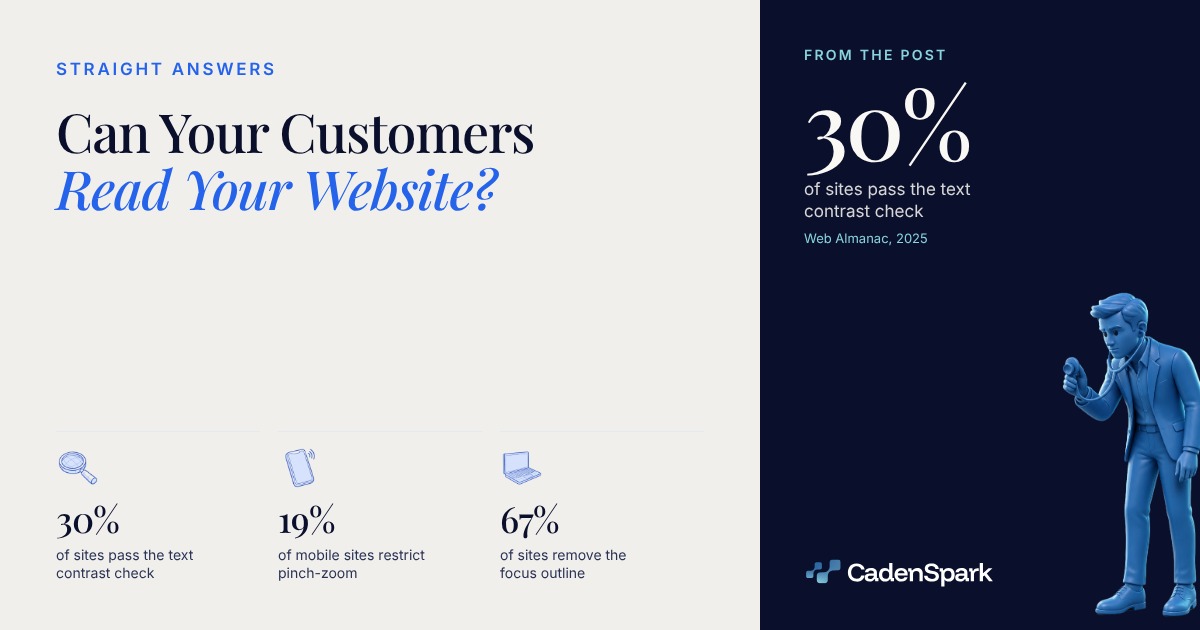
Some of them probably cannot. Only 30% of sites pass the minimum text contrast check and 19% of mobile sites still restrict pinch-zoom, across 16.2 million sites crawled in July 2025 (Web Almanac, 2025).
Can your customers read your website?
Not all of them. Text contrast is the most common readability failure on the web, and the pass rate has climbed slowly: 22% of sites in 2019, 30% in 2025 (Web Almanac, 2025).



Web Almanac, 2025 · 16.2 million sites, July 2025 crawl · no 2023 edition; the 2024 value is mobile
View data
| Item | Value |
|---|---|
| 2019 | 22% |
| 2020 | 21% |
| 2021 | 22% |
| 2022 | 23% |
| 2024 | 29% |
| 2025 | 30% |
What does enough contrast actually mean?
A ratio between the text color and the color directly behind it. WCAG puts the floor at 4.5:1 for normal text.

The placeholder inside a field, the caption under a photo and the fine print below a form are where the ratio usually collapses. They are also the words a customer needs most.
A mid-tone blue or green that looks right in a logo often lands near 3:1 as body text, which clears the bar for a headline and misses it for a paragraph (W3C, WCAG).
The ratio changes pixel by pixel across the image, so a line that reads cleanly over the dark half of the picture disappears over the bright half.
Light text on a light accent color is the common one, and it is the element you least want a visitor to skip over.
- 01Find the smallest text on the pageUsually the footer, the fine print under a form, or the grey placeholder sitting inside a field.
- 02Read the two colorsThe text color and the color directly behind it. A browser inspector shows both as hex values.
- 03Compare the ratio to 4.5:1Any contrast checker turns two colors into a ratio. Normal text below 4.5:1 fails level AA (W3C, WCAG).
- 04Then look at it on a phone, outdoorsLight grey on white survives nothing in daylight, and daylight is where a lot of your visitors are.
Can someone zoom in on their phone?
On 19% of mobile sites, no. The page tells the browser not to allow it, in a single line of code.
Web Almanac, 2025 · 15.4 million mobile sites, July 2025 crawl
View data
| Item | Value |
|---|---|
| Scaling disabled outright | 13% |
| Maximum scale set to 1 | 17% |
| Either one | 19% |
View data
| Step | Value |
|---|---|
| The viewport line | One tag (A meta viewport tag in the page head tells the browser how far it may scale.) |
| What breaks it | Two values (user-scalable=no, or a maximum-scale below 5.) |
| What the standard asks | 200% (Text resizable to 200% without losing content or functionality (W3C, WCAG, level AA).) |
| What an audit reports | Fail (Lighthouse 12.8.0 fails the page on either value.) |
Does a good accessibility score mean the page is readable?
No. The median site scores 85 out of 100 while only 30% pass the contrast check, and that is not a contradiction.
Web Almanac, 2025 · Lighthouse 12.8.0 · no 2023 edition
View data
| Item | Value |
|---|---|
| 2019 | 83/100 |
| 2020 | 80/100 |
| 2021 | 82/100 |
| 2022 | 83/100 |
| 2024 | 84/100 |
| 2025 | 85/100 |
Lighthouse running Deque’s axe-core, the pair behind the 16.2 million site crawl (Web Almanac, 2025).
Contrast ratios, a blocked viewport, an input with no label, and whether the page declares a language. About 86% of sites declare a valid one (Web Almanac, 2025).
The chapter’s own note is that the automated audit tools compared by GOV.UK all detect less than half of accessibility errors (Web Almanac, 2025).
Font sizes are set in px on 67% of desktop sites (Web Almanac, 2025), which ignores the text size a reader already chose in their own browser.
Do those accessibility widgets fix it?
No, and almost nobody at the top of the web runs one. They are a third-party script layered over the same markup.
- 01Fix the contrast firstIt reaches every visitor on every page, and only 30% of sites pass that check today (Web Almanac, 2025).
- 02Give the zoom backRemove user-scalable=no and any maximum-scale below 5 from the viewport tag. One line, every page.
- 03Put the focus outline back67% of sites take it off (Web Almanac, 2025). Anyone moving through the page by keyboard loses track of where they are.
- 04Watch one person use itHand your phone to someone over 60 and ask them to book. No automated check reports what you learn in that minute.
Open your own site on a phone, in daylight, and try to make the text bigger. Whatever fails there is what a customer meets first, and it belongs on the list with everything else a site gets checked for.
- 01Look at it on a phone
- 02Fix the contrast
- 03Give the zoom back
- 04Measure again
Questions owners ask
Can my customers read my website?
Some may not. Only 30% of sites pass the minimum text contrast check and 19% of mobile sites restrict zooming, across 16.2 million sites crawled in July 2025 (Web Almanac, 2025). Both are visible on your own phone in two minutes.
What contrast ratio does text need?
At least 4.5:1 for normal text and 3:1 for large text to meet WCAG level AA. 7:1 is the AAA level. The ratio is between the text color and the color directly behind it.
Should I let people pinch to zoom on my site?
Yes. Restricting it is what 19% of mobile sites still do (Web Almanac, 2025), and WCAG asks that text can be resized up to 200% without losing content or functionality.
Does a 100 accessibility score mean the site is readable?
No. The chapter’s own note is that automated tools detect less than half of accessibility errors, and the median site already scores 85 while only 30% pass the contrast check (Web Almanac, 2025).
Sources
- HTTP Archive, Web Almanac 2025, Accessibility chapter (16,213,084 sites, of which 15,426,398 mobile; July 1, 2025 crawl; Lighthouse 12.8.0 running Deque's axe-core; read November 1, 2026) (2025)
- HTTP Archive, Web Almanac 2025 Methodology (sample size, crawl date and Lighthouse version) (2025)
- W3C, Web Content Accessibility Guidelines: Contrast (Minimum) and Contrast (Enhanced), level AA and AAA, and Resize Text, level AA (2023)
- Google Lighthouse 12.8.0, meta-viewport accessibility audit (the version HTTP Archive ran) (2025)
The first meeting starts with findings, not promises.The free Business Health Report reads your business and shows you what it found, in days.
Get Your Free Business Health Report