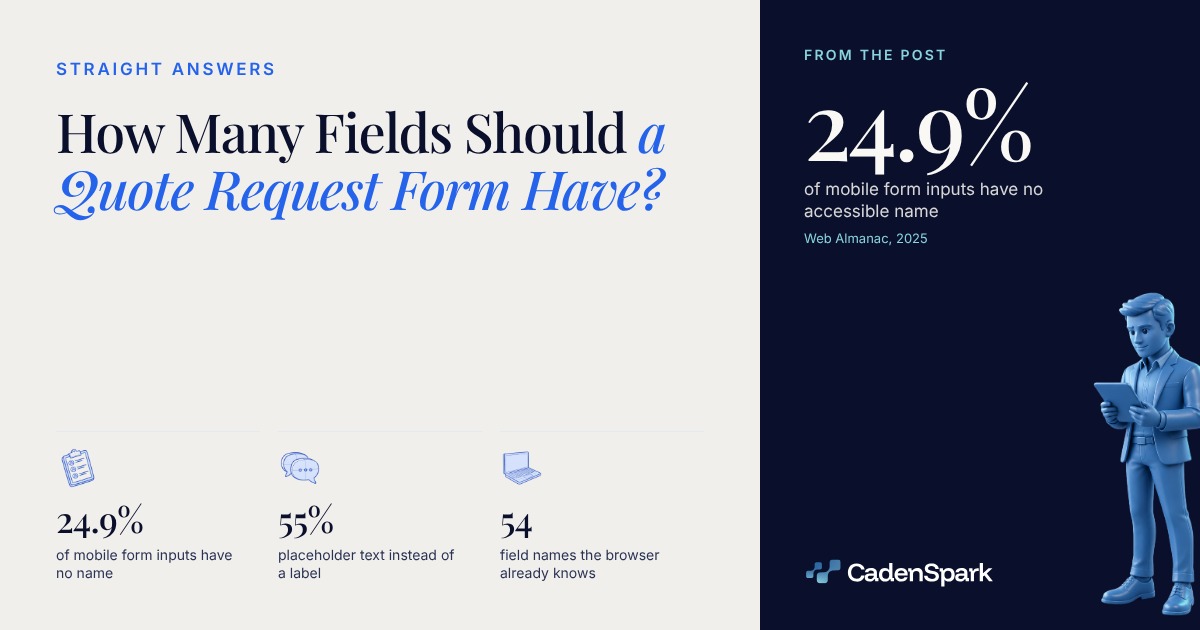
Nobody has published a primary study, with a sample, that ties the number of fields on a quote form to the number of quotes you get. What is measured is something else: whether each field has a name. Every figure below covers the whole measured web, 16,213,084 sites in HTTP Archive’s July 2025 crawl, and none of it is broken out by trade.
How many fields should a quote request form have?
Enough to quote the job, and nothing you already have. No measured number exists. WCAG 2.2 turned the second half of that sentence into a Level A requirement.



- 01What the job isThe one field nobody can autofill and nobody else can answer. Give it room, and make it the first thing you read.
- 02Where it isAddress or ZIP. It decides travel time and sometimes whether you take the job at all, so it belongs on the form, not on the call.
- 03When they need itThis week or next month changes the price. One question, two or three choices, no free typing.
- 04How to reach them backPhone or email, and one of them is enough. WCAG 2.2 Level A says anything already entered in the same process is auto-populated or selectable, with three exceptions: when re-entry is essential, when security requires it, or when the old value is no longer valid.
Will the browser fill the fields for you?
Yes, if you name them. The HTML Standard defines 54 autofill field names, and Chromium runs its autofill heuristics only on forms that have at least three fields.
Name them with the autocomplete attribute and a saved profile fills the form without typing. The tokens are the HTML Standard’s, read October 22, 2026.
View data
| Step | Value |
|---|---|
| Full name | name (one field, not two) |
| Phone | tel (tel) |
| email (email) | |
| Job address | street-address (street-address) |
| ZIP | postal-code (postal-code) |
| Company | organization (optional) |

That three is a threshold inside one browser engine, not a rule of the web, and it is what the source says today. It is still the counterweight to cutting a form to two fields: a form that fills itself is closer to a site that does something than to a brochure.
Is a placeholder the same as a label?
No. A placeholder disappears the moment someone types. Across mobile form inputs, 34.57% take their name from a label, 25.12% from a placeholder, and 24.93% from nothing at all.
Web Almanac, 2025 · July 2025 crawl, share of mobile inputs
View data
| Item | Value |
|---|---|
| An associated label | 34.57% |
| A placeholder | 25.12% |
| Nothing at all | 24.93% |
A quarter of mobile inputs have no accessible name at all (Web Almanac, 2025). The field is announced as a box, with no hint of what goes in it.
The HTML Standard describes autofill as prefilling a field from earlier input. An unnamed field is not in that conversation.
WCAG Level A asks for labels or instructions when content requires user input. Placeholder text fails that the second someone starts typing.
On a long form the only way to check an answer is to read the label next to it. Four of Lighthouse’s accessibility audits are about exactly this, and by our count on its default config they are 33 of 416 points, 7.9% of the category. That is a weight inside Lighthouse’s own score, not a ranking or conversion factor.
Which fields should be marked required, and how?
With the HTML required attribute, which 66% of mobile sites use. An asterisk alone carries no meaning for software, and 19% of mobile sites stop there.
Web Almanac, 2025 · share of mobile sites, July 2025 crawl
View data
| Item | Value |
|---|---|
| The required attribute | 66% |
| aria-required | 37% |
| Visual asterisk only | 19% |
A field marked with an asterisk
a visual hinta semantic one
19% of mobile sites stop at the asterisk (Web Almanac, 2025).
A field marked with aria-required
37% of mobile sitesdown 3% in 2025
The chapter notes ARIA is intended to supplement native semantics, not replace them.
A field marked with required
66% of mobile sitesup 1% in 2025
The Almanac reads the trend as a gradual shift toward native HTML validation.
A field nobody has to fill
asked anywayleft off the form
No source measures what dropping it saves. It is the one cut that costs you no information you need.
View data
| Metric | Day zero → target |
|---|---|
| A field marked with an asterisk | a visual hint → a semantic one |
| A field marked with aria-required | 37% of mobile sites → down 3% in 2025 |
| A field marked with required | 66% of mobile sites → up 1% in 2025 |
| A field nobody has to fill | asked anyway → left off the form |
Does a captcha cost you quotes?
Nobody published that number either. What is on record: 17% of mobile sites ran a captcha in 2025, and WCAG asks that any captcha come with an alternative through a different sense.
Web Almanac, 2025 · mobile sites, the years the chapter reports
View data
| Item | Value |
|---|---|
| 2022 | 19% |
| 2024 | 16% |
| 2025 | 17% |
The chapter’s authors write that captchas frequently create significant accessibility barriers, particularly for people with visual, motor, or cognitive disabilities (Web Almanac, 2025). That is their judgment, not a measurement.
Level A requires alternative forms of CAPTCHA using output modes for different types of sensory perception, to accommodate different disabilities.
A captcha says a human filled the form. Whether the phone number is real is still the field’s job.
A phone number or an address on the page, for the person the captcha turns away.
The belief that fewer fields always means more quotes has no measured number behind it. Naming the fields does. The form is only half the work; the other half is what happens in the five minutes after a submit.
- 01Name every field
- 02Cut the duplicates
- 03Test it on a phone
- 04Answer in five minutes
Questions owners ask
How many fields should a quote request form have?
No primary study with a published sample ties field count to quote volume. Ask what you need to quote the job, and nothing you already have. WCAG 2.2 makes not asking twice a Level A requirement: previously entered information is auto-populated or selectable.
Is a placeholder enough instead of a label?
No. On the July 2025 crawl of 16.2 million sites, 55% of mobile sites both use placeholders and have inputs without labels (Web Almanac, 2025). Placeholder text disappears as soon as someone types, so nobody can check it before sending.
Should a quote form use the required attribute or an asterisk?
The asterisk alone carries no meaning for software. 66% of mobile sites use the HTML required attribute, 37% use aria-required, and 19% of mobile sites show only a visual asterisk (Web Almanac, 2025).
Does a captcha stop people from asking for a quote?
It adds a step some people cannot complete. 17% of mobile sites ran a captcha in 2025 (Web Almanac, 2025), and WCAG Level A asks for alternative forms using different senses. If you keep one, keep another way to reach you.
Sources
- HTTP Archive, Web Almanac 2025, Accessibility chapter (July 2025 crawl, 16,213,084 sites, of which 15,426,398 mobile; Lighthouse 12.8.0; figures read from the chapter's source text, commit 46992bf, October 22, 2026). The crawl is not segmented by industry. (2025)
- W3C, Web Content Accessibility Guidelines 2.2, success criteria 3.3.7, 1.3.5, 3.3.2 and 1.1.1 (read from the specification source, commit 457cece) (2023)
- WHATWG, HTML Standard, the autofill field name table (54 unique field names, our count of the table, commit c6c3055) (2026)
- Chromium source, components/autofill/core/common/autofill_constants.h line 35, commit 374fbf6 (a threshold inside one browser engine, not a rule in any standard) (2026)
- Lighthouse, default accessibility config, core/config/default-config.js, commit f8afbc7 (76 audits, 416 points of total weight; weights inside its own score, not a ranking or conversion factor) (2026)
The first meeting starts with findings, not promises.The free Business Health Report reads your business and shows you what it found, in days.
Get Your Free Business Health Report