




 Google
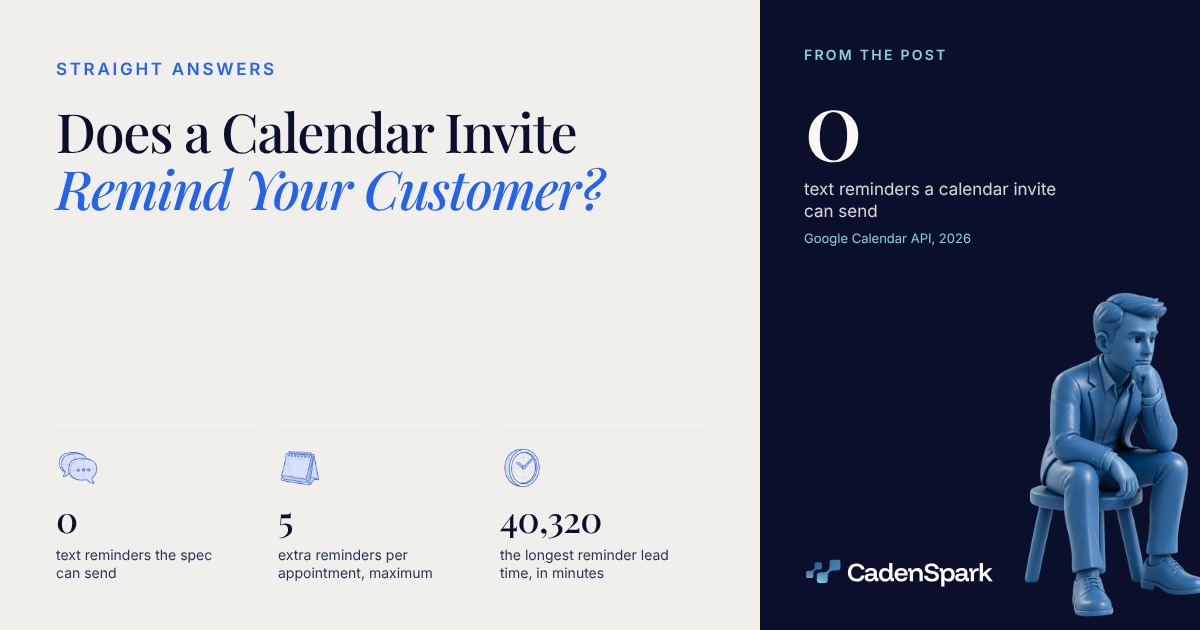
No. The reminders attached to an event are described in the Google Calendar API as being "for the authenticated user", which is you. The spec offers two reminder methods, email and a popup, and the word "sms" appears zero times in it (Google Calendar API, 2026).
Does a calendar invite remind your customer?
Not on its own. The reminders you set belong to the calendar you set them on, with two delivery methods and a cap of five per event (Google Calendar API, 2026).



The reminders you set
reach the customerreach the calendar’s owner
"Information about the event’s reminders for the authenticated user" (Google Calendar API, 2026).
How a reminder is delivered
a text messagean email or a popup
Two methods, counted in the spec. Neither "sms" nor "text message" appears in the document.
Reminders per appointment
as many as you wantfive, at most
"The maximum number of override reminders is 5" (Google Calendar API, 2026).
View data
| Metric | Day zero → target |
|---|---|
| The reminders you set | reach the customer → reach the calendar’s owner |
| How a reminder is delivered | a text message → an email or a popup |
| Reminders per appointment | as many as you want → five, at most |
Who do the reminders on an invite belong to?
To whoever authenticated. Google describes both the event’s reminders and the calendar’s defaults as the authenticated user’s, and Microsoft’s event property says an alert reminds "the user" (Google Calendar API and Microsoft Graph, 2026).
"Information about the event’s reminders for the authenticated user." Changing them does not change the event itself (Google Calendar API, 2026).
"The default reminders that the authenticated user has for this calendar." Your guest’s calendar applies your guest’s defaults, which you never see.
"The notifications that the authenticated user is receiving for this calendar." Those land with the owner, not the attendee.
The event property isReminderOn is "set to remind the user of the event" (Microsoft Graph, 2026). Same wording, different platform, same owner.


What does the customer actually get when you book?
Whatever email your booking tool asks the calendar to send. Google’s parameter takes three values, says "some emails might still be sent", and warns that switching notifications off can lose events altogether (Google Calendar API, 2026).
Google Calendar API, 2026. The spec stops at step three: it does not define what the guest’s app does next.
View data
| Step | Value |
|---|---|
| Your tool creates the event | 01 (With or without a value for sendUpdates.) |
| That value decides who is told | 02 (all, externalOnly or none.) |
| The guest’s provider delivers it | 03 ("Note that some emails might still be sent.") |
| The guest’s own reminder fires | 04 (Their defaults, not the ones you set.) |
"Notifications are sent to all guests" (Google Calendar API, 2026). The most explicit of the three, and still an email, not a text.
"Notifications are sent to non-Google Calendar guests only." Whether your customer counts depends on what runs their calendar, which you do not control.
"No notifications are sent. Warning: Using the value none can have significant adverse effects, including events not syncing to external calendars or events being lost altogether for some users."
Does silence mean the customer saw it?
No. A guest who does nothing stays in needsAction, and Google warns that a guest’s own setting can reset a response to needsAction and hide the event until they answer from the invitation email (Google Calendar API, 2026).
needsAction
they saw it and said nothing"The attendee has not responded"
It is also the state the spec recommends for new events, so it is where every invite starts (Google Calendar API, 2026).
declined
a customer who cancelledan answer you can call about
Adding an event as declined can reset a guest to needsAction, depending on their own invitation setting (Google Calendar API, 2026).
tentative
a booking on the books"tentatively accepted the invitation"
A maybe is a reason to confirm by your own channel, not a reason to wait.
accepted
a confirmed appointmenta click, recorded
The spec records a response to an invitation. It does not record that anyone read the time or will turn up.
View data
| Metric | Day zero → target |
|---|---|
| needsAction | they saw it and said nothing → "The attendee has not responded" |
| declined | a customer who cancelled → an answer you can call about |
| tentative | a booking on the books → "tentatively accepted the invitation" |
| accepted | a confirmed appointment → a click, recorded |
- 01Read needsAction as silence, not as agreementThe spec says the attendee "has not responded", and recommends that exact state for new events. Nothing in it reports whether the email was opened.
- 02Remember the response can be reset for youGoogle warns that a guest whose setting is "When I respond to invitation in email" or "Only if the sender is known" might have their response reset to needsAction and not see the event at all until they answer from the invitation email (Google Calendar API, 2026).
- 03Ask, and know that asking does not bind anyoneMicrosoft’s responseRequested defaults to true, which only "represents the organizer would like an invitee to send a response" (Microsoft Graph, 2026). The confirmation still has to come from your side.
What else does the invite show your customer?
More than the time and the place. Two Google guest permissions default to True, Microsoft’s hideAttendees defaults to false, and no video link exists unless your tool asks for one (Google Calendar API and Microsoft Graph, 2026).
guestsCanInviteOthers
off unless you allow it"The default is True"
Any guest can add someone else to your appointment (Google Calendar API, 2026).
guestsCanSeeOtherGuests
private by default"The default is True"
Guests "can see who the event’s attendees are" unless you turn it off (Google Calendar API, 2026).
hideAttendees
each guest sees only themselves"The default is false"
Turning it on is what makes each attendee see only themselves in the request and the tracking list (Microsoft Graph, 2026).
allowNewTimeProposals
fixed time"The default is true"
The organizer "allows invitees to propose a new time when responding" unless that is switched off (Microsoft Graph, 2026).
View data
| Metric | Day zero → target |
|---|---|
| guestsCanInviteOthers | off unless you allow it → "The default is True" |
| guestsCanSeeOtherGuests | private by default → "The default is True" |
| hideAttendees | each guest sees only themselves → "The default is false" |
| allowNewTimeProposals | fixed time → "The default is true" |
Both Google guest permissions default to open, so the fix is a setting your tool has to send, not something the calendar does for you.
guestsCanInviteOthers defaults to True (Google Calendar API, 2026). Harmless for a team meeting, less so for an appointment at someone’s home.
conferenceDataVersion "assumes no conference data support" at its default of 0, and version 1 is what enables "creating new conferences" (Google Calendar API, 2026).
What should your booking flow send instead?
Your own confirmation and your own reminder. Then ask your tool once for three things the calendar will not add by itself: the time zone, a meeting link, and permission to add the customer at all.
- 01Send your own confirmation and your own reminderThe reminders on the event are the owner’s, with two methods and no text among them. The message the customer reads is the one you send from a channel they answer on.
- 02Name the time zone on the eventGoogle’s start field takes an IANA Time Zone Database name, and the spec says it is required for recurring events (Google Calendar API, 2026). The longer version is in what time zone the appointment is in.
- 03Ask for the meeting linkconferenceDataVersion defaults to 0, so a video link exists only when your tool asks for version 1 and sends a createRequest (Google Calendar API, 2026).
- 04Re-check what the integration is allowed to do"Service accounts need to use domain-wide delegation of authority to populate the attendee list" (Google Calendar API, 2026). Without it, the customer is not on the event at all.
The invite is your record of the appointment. The reminder your customer reads is the one you send, and it has to say four specific things.
- 01Create the event
- 02Send your own confirmation
- 03Confirm the answer, not the invite
- 04Name the zone and the link
Questions owners ask
Does Google Calendar send reminders to guests?
Not the ones you set. The API describes the event’s reminders as being "for the authenticated user", and a guest’s own calendar applies their own defaults (Google Calendar API, 2026).
Can a calendar invite send a text message?
No. The spec lists two reminder methods, email and a popup, and the words "sms" and "text message" do not appear anywhere in the document (counted in the spec, 2026).
How early can a calendar reminder go out?
Up to 40,320 minutes before the start, which is four weeks, and up to five extra reminders per event (Google Calendar API, 2026).
If the customer never replies to the invite, did they see it?
Nothing in the invite answers that. A guest who does not act stays in needsAction, the state the spec recommends for new events; Microsoft’s equivalent list calls it notResponded.
Sources
The first meeting starts with findings, not promises.The free Business Health Report reads your business and shows you what it found, in days.
Get Your Free Business Health Report