 Google
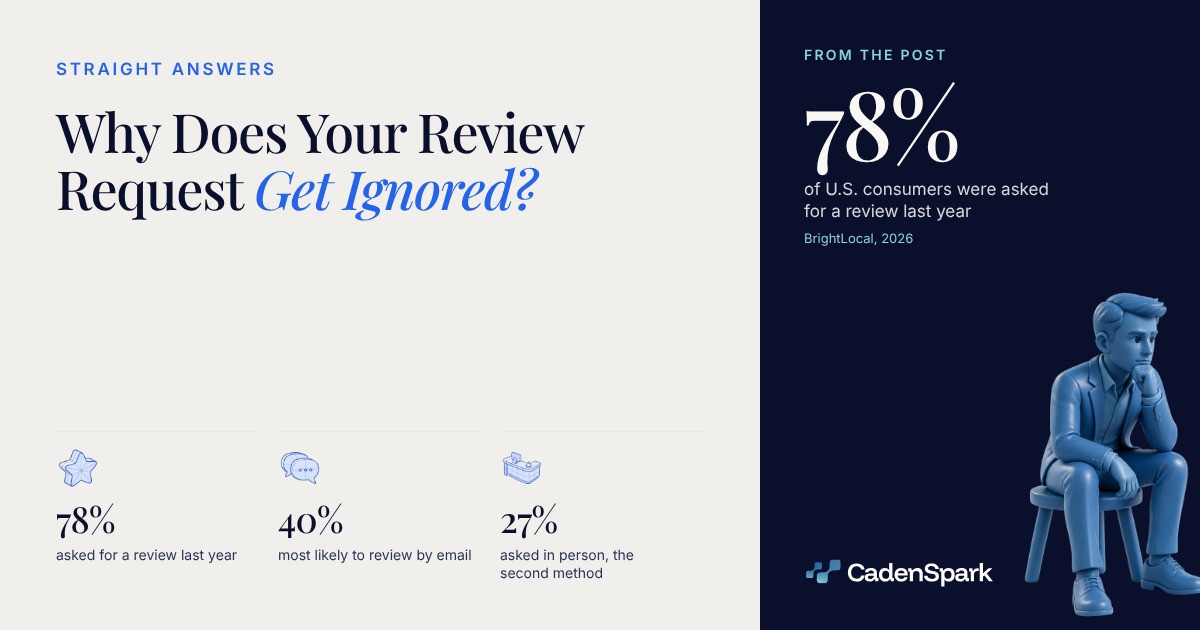
Most review requests are not ignored. They were never sent, or they landed in a channel that customer never answers. 78% of U.S. consumers were asked for a review in the last 12 months (BrightLocal, 2026, n=1,002), so yours arrives in a crowd.
Why does your review request get ignored?
Because it competes. Almost four in five consumers already got asked last year, so the one that gets read is the one that arrives where they reply to you anyway.



When it goes out
whenever you rememberwhen the job closes
The customer can still describe the work.
The channel
whatever you default tothe thread that already gets replies
Email leads at 40%, in person second at 27% (BrightLocal, 2025).
What it asks for
a favor, in a paragraphone tap
Nothing to search for, nothing to type.
What you hand over
"please leave us a review"the link or the QR code
Google puts both inside your profile.
View data
| Metric | Day zero → target |
|---|---|
| When it goes out | whenever you remember → when the job closes |
| The channel | whatever you default to → the thread that already gets replies |
| What it asks for | a favor, in a paragraph → one tap |
| What you hand over | "please leave us a review" → the link or the QR code |
Which channel should the ask arrive in?
Email first, in person second. Asked where they are most likely to leave a review, 40% of U.S. consumers picked email, up from 32% the year before, and 27% named being asked in person (BrightLocal, 2025, n=1,000).
BrightLocal, Local Consumer Review Survey 2025 · 1,000 U.S. adults
View data
| Item | Value |
|---|---|
| 40% | |
| Asked in person | 27% |
View data
| Piece | What happens |
|---|---|
| Door | Email after the job |
| Door | Asked at the door |
| Door | On the invoice |
| Door | QR code on the counter |
| Hub | One review link from your profile — Google generates the link and a matching QR code |
| Stage | The customer taps or scans — no search, no login hunt, no form |
| Stage | They write it in their own words — the visit is still fresh enough to describe |
| Return | You reply, and the next job starts — the profile keeps earning while you work |
The ask rides the same thread as the confirmation text you already send, under the same consent rules.
What does the ask itself have to contain?
A link, a line, and nothing else to do. Google puts a review link and a QR code in your Business Profile under Get more reviews, so the customer never has to go looking for you.
- 01Who you are, and which job this is aboutYour business name and the work you just finished. A review is about one visit, not about a brand in general.
- 02The link or the QR code Google gives youBoth sit in your Business Profile under "Get more reviews": copy the link, or download the code and print it. Google’s policy on business links rules out shortened URLs, so send the one it generates.
- 03One sentence, and no second requestSay that a few lines help the next customer decide. No form, no survey, no attachment, no star rating to pick first.
View data
| Step | Value |
|---|---|
| the work is fresh | Job done (the only window where the customer can describe it) |
| where you already confirmed | Same thread (email leads at 40%, in person at 27% (BrightLocal, 2025)) |
| your review link or QR code | One tap (posted in the customer’s own words, and your reply closes it) |
Google’s help page gives the owner a review link and a QR code to share, under "Get more reviews" (Google, 2026).
Google’s policy on business links does not allow shortened URLs, so the link it generates is the one that goes out.
The QR code is built to sit on an invoice, a counter or a van door, which is the in-person ask that 27% of consumers named (BrightLocal, 2025).
Our rule, not Google’s: a second reminder is usually where the thread goes quiet.
Can you offer something in return, or ask only your happy customers?
No, on both counts. Google treats a discount or free goods in exchange for a review as fake engagement and strictly prohibits it, and the same policy prohibits discouraging negative reviews or soliciting only positive ones.
Offering a discount, free goods or free services in exchange for a review is fake engagement and strictly prohibited (Google, 2026).
Rewarding anyone for changing or deleting a review falls under the same rule.
The policy prohibits discouraging negative reviews and soliciting only positive ones.
Asking staff to reach a number of reviews is named in the same policy.
A discount, a gift card or a free add-on handed over in exchange for the review.
Asking only the customers you already know will say something kind.
A review target given to the crew or to whoever answers the phone.
Rewarding a customer for changing or taking down what they wrote.
What happens if Google decides the asking broke its rules?
It can restrict the profile. Google says it may stop new reviews from posting, unpublish the reviews already there, or show a notice that fake reviews were removed.
View data
| Step | Value |
|---|---|
| New reviews blocked | 01 (the honest ones stop posting too) |
| Reviews unpublished | 02 (the ones already earned come down) |
| A public notice | 03 (Google can say that fake reviews were removed) |
| Back to one ask per job | 04 (the only route the documentation describes) |
Replying is the other half of this, and the negative ones are where the evidence sits: we covered that separately.
- 01Finish the job
- 02Ask in the same thread
- 03Send the link, not a form
- 04Reply to what arrives
Send one ask, in the thread that customer already answers, with the link Google hands you. The requests that get ignored are mostly the ones nobody ever sent.
Questions owners ask
Why do customers ignore your review request?
Usually they never got one, or it arrived where they do not answer you. 78% of U.S. consumers were asked for a review in the last 12 months (BrightLocal, 2026, n=1,002), so yours is competing with the rest.
How should you ask for a Google review?
With the review link or QR code Google puts in your Business Profile under Get more reviews, one line of context, and nothing else to do. Google prohibits reviews obtained with a discount or a gift (Google, 2026).
Which channel works for a review request?
Email leads: 40% of U.S. consumers say they are most likely to leave a review that way, up from 32%, with 27% naming an in-person ask (BrightLocal, 2025, n=1,000). Use the channel that customer already answers.
Is it legal to ask only your happy customers?
No. Google’s policy prohibits soliciting only positive reviews, and a federal rule in effect since October 21, 2024 bans fake reviews and the suppression of negative ones. Not legal advice; ask counsel.
Sources
- BrightLocal, Local Consumer Review Survey 2026 (1,002 U.S. adults, representative SurveyMonkey panel, report published February 11, 2026; read October 27, 2026 through a domain-scoped search, not opened directly, because outbound access was closed in this session) (2026)
- BrightLocal, Local Consumer Review Survey 2025 (1,000 U.S. adults, SurveyMonkey panel; the sample size comes from another BrightLocal page, not the report cover; verified the same way on October 27, 2026: domain-scoped search, not opened directly) (2025)
- Google Business Profile Help, "Create a Google review link or QR code to request reviews" (official documentation, no sample; verified the same way on October 27, 2026: domain-scoped search, not opened directly) (2026)
- Google Business Profile Help, "Tips to get more reviews" (official documentation, no sample; verified the same way on October 27, 2026: domain-scoped search, not opened directly) (2026)
- Google, "Prohibited & restricted content" contribution policy (official documentation, no sample; verified the same way on October 27, 2026: domain-scoped search, not opened directly) (2026)
- Federal Trade Commission, Rule on the Use of Consumer Reviews and Testimonials, 16 CFR Part 465, in effect October 21, 2024 (federal rule, not a survey; verified for the October 17, 2026 post on replying to reviews and not re-opened today) (2024)
The first meeting starts with findings, not promises.The free Business Health Report reads your business and shows you what it found, in days.
Get Your Free Business Health Report